Catch Tiles: Piano Game
- 4.5
- Rating
- 50.00M
- Installs
- Free
- Price

 Analysis by App-foxy
I went into Catch Tiles: Piano Game expecting a simple music game, and that is exactly what it is—but the simplicity is more carefully tuned than the short store description suggests. You tap piano tiles as they appear, try to keep the song moving, react to mistakes, and then decide whether you want another attempt immediately. The appeal is not learning to play a real piano. It is the quick connection between timing, sound, and visible progress.
That makes this a good fit for short breaks rather than a replacement for a full rhythm game or a piano-learning tool. I can open it when I have only a few minutes, play one song, fail or finish, and understand instantly what went wrong. The game comes from WingsMob, is free to start, and sits in the music-game category for Teen players. Its large audience—over 50 million installs and an average rating of 4.5 from around 131 thousand ratings—also reflects how easy the basic idea is to understand.
How the tap-and-retry loop feels in actual play
I find the tap-and-retry loop works best when I treat each attempt as a small experiment, not a test of skill I have to pass. After a miss, I focus on one change—my grip, where I’m looking, or whether I’m rushing—so the next run has a purpose. That makes it easier to tell when the problem is my approach and when it’s time to check the setup.
You May Also Like

 AccuWeather: Weather Radar
AccuWeather Review: A Quick, Clear Forecast for Everyday Decisions
For everyday plans, the best forecast is the one you can understand quickly. AccuWeather makes rain timing, radar, and local conditions easy to act on, with a few trade-offs.

 Hill Climb Racing
Why Hill Climb Racing Still Turns Crashes Into One More Run
A tiny car, a bumpy hill and one more upgrade: Hill Climb Racing keeps resurfacing because its simple chaos makes every near-miss feel personal.

 AliExpress - Shopping App
AliExpress Makes Global Shopping Feel Personal, but Shoppers Bear the Risk
AliExpress turns a global marketplace into a pocket-sized discovery engine. Its reach is useful, its shopping loop compelling, and its trade-offs easy to miss.

 Lords Mobile: Kingdom Wars
Lords Mobile Is a Kingdom-Building Routine, Not a Quick Match
A case-by-case verdict on the building, battles, device demands, and social commitments that make Lords Mobile rewarding for some players and exhausting for others.

 PDF Scanner app - TapScanner
TapScanner Makes Paperwork Easier to Capture, Check, and Share
TapScanner makes scanning with a phone feel less like a rescue operation and more like a dependable step in getting work done. Its capture tools are useful, though not flawless.

 Block Blast!
 Shows How Much a Puzzle Game Can Leave Out
A quiet grid game shows why puzzle players increasingly value instant clarity, repeatable skill and low-pressure play—and where the genre still needs to catch up.
More From Our News Desk
View All News


The first action is deliberately simple
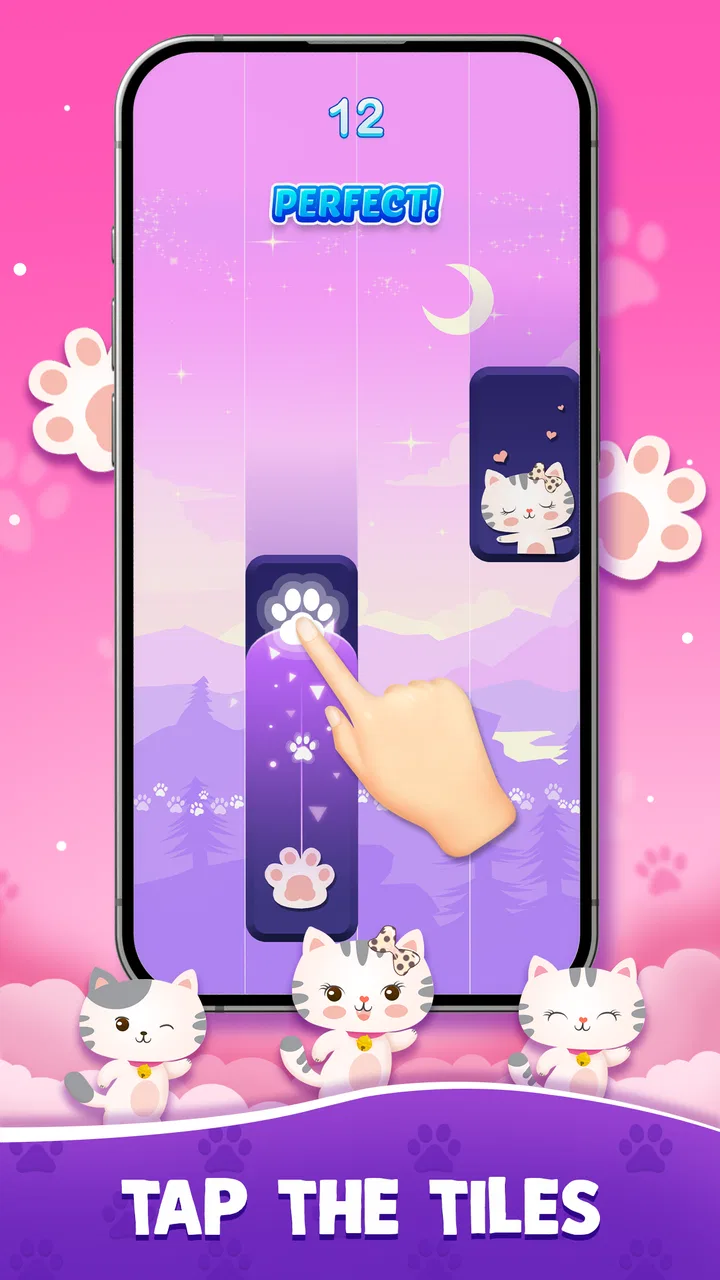
The first thing I do is focus on the moving pattern and tap the piano tiles at the right moment. There is no complicated control scheme to learn, and that matters on a phone because rhythm games become frustrating when the interface gets in the way of the rhythm. Here, the challenge begins almost immediately: watch, choose the correct tile, and keep the sequence alive.
The best way to approach the opening seconds is to avoid tapping ahead. I found that looking at the next small part of the pattern, rather than trying to predict the entire screen, makes the game feel more controlled. This is a useful distinction for new players. The game rewards attention and timing, not frantic movement, so a relaxed hand usually performs better than a rushed one.
It also works well in situations where I would not normally start a larger game. Waiting for an appointment, taking a short break from work, or sitting on public transport are natural use cases. A round can be treated as a tiny concentration exercise: I give the screen my full attention, play until the sequence ends, and put the phone away. That focused simplicity is one of its strongest qualities.
Feedback turns each tap into a musical decision
The important part of the experience is the feedback rhythm. A successful tap is not just a correct input; it keeps the song and the visual flow moving together. When I catch several tiles in succession, the result feels satisfying because my hands and ears begin to agree. The game creates a small chain of cause and effect: I see a tile, tap it, hear the musical response, and immediately prepare for the next one.
That feedback is also what makes mistakes easy to understand. I do not need a long explanation after losing. A missed tile breaks the flow, and the interruption tells me that my timing, attention, or hand position needs work. This is more useful than a score alone because it points toward a practical adjustment. I can slow down mentally, stop watching the wrong part of the screen, or hold the phone more comfortably before trying again.
Players who enjoy music games for their atmosphere should know that the experience is still built around accuracy. I cannot simply listen passively and expect the game to carry me. The music gives the taps context, but the interaction remains the main event. That makes the game more engaging than an ordinary playlist, while also making it less relaxing than a music app or an automatic rhythm visualizer.
The reward is the feeling of extending the song
The immediate reward is not complicated: I keep the performance going, hear more of the song, and see my run develop. That creates a modest but effective sense of progress. Each successful group of taps feels like I have earned the next few seconds, and that is enough to make a failed attempt feel unfinished rather than pointless.
This is where the game’s free-to-play structure becomes relevant. The base download costs nothing, while optional purchases range from $0.99 to $9.99 per item. I would approach those purchases carefully. The main reason to play is the timing loop, so spending should only make sense if a player already enjoys returning to the game and understands what the purchase changes for them. I would not install it expecting a deep, purchase-free progression system like a traditional console rhythm title.
A practical way to enjoy it without overcommitting is to set a personal target for each session. I might aim to beat my previous run, maintain concentration through a difficult passage, or simply complete one attempt without switching to another app. These goals make the reward more meaningful than chasing an abstract number. The game is at its best when improvement feels personal and immediate.
Why another session begins after a reset
The reset is the heart of the design. When a run ends, I am shown exactly why I want to try again: the pattern is familiar enough to feel learnable, but my previous mistake is still fresh. That combination removes much of the friction normally associated with restarting. I do not need to remember a complicated story, rebuild a character, or wait through a long setup. I can simply begin another attempt.
There is a useful psychological difference between a reset that feels punishing and one that feels informative. In this game, a failed run can teach me where my attention broke down. Perhaps I reacted to the sound instead of the tile, tapped too early during a faster passage, or let my thumb drift into an awkward position. The next attempt has a clear purpose, even if the overall game remains light.
My advice is to stop after a few careless failures rather than tapping restart endlessly. Repetition helps when I am still learning the pattern, but it becomes unproductive when I am tired or irritated. A short pause often improves performance more than another automatic attempt. This is one of the less obvious strengths of the format: the game supports concentrated bursts, but it does not need to become an all-evening commitment.
What it does better than ordinary alternatives
Compared with listening to piano music, this game gives me an active role. I am not just consuming a track; I am maintaining its flow through my timing. Compared with a piano-learning app, however, it does not replace practice on keys, teach musical notation, or build the physical skills needed for real performance. The distinction matters because the store summary may appeal to people who love piano songs, but the actual activity is tile tapping rather than piano instruction.
It also occupies a different space from larger rhythm games. A more elaborate rhythm title may offer deeper systems, stronger customization, or a broader competitive structure. Catch Tiles: Piano Game is easier to pick up and less demanding in terms of commitment, but that same accessibility means players looking for long-term complexity may eventually find the loop narrow. I see it as the better choice for quick musical interaction, not for someone seeking a full-featured rhythm hobby.
Another alternative is a conventional casual puzzle game. Those games may provide more varied objectives, while this one keeps returning to timing and repetition. I prefer this focused design when I want my hands occupied and my attention sharpened for a few minutes. I would choose something else when I want a story, strategic planning, or a slower pace.
Small habits that improve the experience
One useful habit is to play with a stable grip. Because the challenge depends on precise taps, changing the phone’s position between attempts can make the same pattern feel unexpectedly different. I get more consistent results when I support the device with both hands and keep my tapping finger relaxed. This is a simple adjustment, but it reduces accidental movement and makes the feedback easier to read.
A second tip is to treat the audio as support rather than the only guide. The music helps establish a rhythm, but watching the tiles remains essential. If I close my eyes mentally and follow only the sound, I am more likely to react late when the pattern changes. The strongest play comes from combining visual timing with the musical pulse instead of depending entirely on either one.
A third insight is that the game can work as a quick attention reset between demanding tasks. I would not use it during a serious concentration period if I know I tend to keep restarting, but one deliberate attempt can create a clean break. The action is repetitive enough to be approachable and precise enough to require genuine focus. That makes it more refreshing than aimlessly scrolling, provided I decide in advance when to stop.
The game is also suitable for players who want an uncomplicated entry into music games. Teen users can understand the controls quickly, and the Teen content rating gives families a clear indication of its intended audience. Still, I would remind younger players that free games with optional purchases deserve the same spending awareness as any other mobile title. The absence of an upfront price does not mean every part of the experience should be treated casually.
Where the experience can become limiting
The same repetition that makes the game approachable can eventually become its biggest weakness. If I am looking for a wide range of mechanics, the central action may feel too similar from one session to the next. The reset encourages immediate retries, but it does not automatically create long-term variety. Players who need constant novelty may enjoy the first sessions more than the later ones.
There is also a difference between feeling musical and actually making music. The piano presentation gives the taps an expressive context, yet my role is still to hit targets at the correct time. Someone hoping to learn chords, scales, sight-reading, or proper finger technique should choose a dedicated educational tool instead. This game can spark interest in piano music, but it should not be mistaken for structured instruction.
Performance depends heavily on personal comfort and attention. A small screen, an awkward grip, background distractions, or tired eyes can turn a manageable sequence into a frustrating one. I would not judge the game after a single rushed attempt in a noisy place. It makes more sense to try it in a calm setting, with the device held securely, and then decide whether the timing feels satisfying.
The optional purchase range is another reason to keep expectations realistic. Since individual items can cost from $0.99 to $9.99, I would avoid buying anything impulsively during a losing streak. A purchase cannot fix poor timing or fatigue. I would first establish that the free experience genuinely fits my habits, then consider whether an optional item adds enough value to justify the cost.
Version, access, and who should install it
The current version is 2.2.2, and the game supports devices running Android 7.1 or later. That makes it accessible to people using older Android hardware, although the actual comfort of play will still depend on the phone’s screen and responsiveness. For iOS users, the same basic recommendation applies: the game makes the most sense on a device that responds consistently to quick taps.
I would recommend it to anyone who likes piano-themed rhythm games, short repeatable challenges, and the satisfaction of improving through immediate retries. It is especially appealing if you want something that can fill a few spare minutes without asking you to learn a complicated ruleset first. The action, feedback, reward, and reset all connect cleanly, which is why the next session feels tempting even after a mistake.
I would skip it if my priority were serious piano education, a story-driven game, deep customization, or a broad competitive experience. I would also skip it if I dislike repeating the same core action or if I tend to become frustrated by timing-based failure. In those cases, a piano-learning app, a more varied casual game, or a larger rhythm title would be a better match.
My verdict on the complete loop
After spending time with it, I see Catch Tiles: Piano Game as a focused, easy-to-start music game whose strongest feature is the clarity of its loop. I tap a tile, receive immediate musical and visual feedback, earn a little more of the performance, lose when my timing slips, and restart because the mistake still feels fixable. Nothing in that cycle is revolutionary, but the connection is direct and satisfying.
Its limitations are equally clear. It is not a piano course, and its repeated format may not satisfy players who want extensive variety. The optional purchases also make sensible spending habits important. Even so, the free entry point, approachable controls, and short-session design give it a definite purpose.
My honest recommendation is to try it when you want a quick rhythm challenge rather than a full musical instrument experience. If the first few attempts make you want to correct your timing instead of simply move on, the reset loop is doing its job. If you are searching for deeper lessons or more varied gameplay, you will probably outgrow it. For everyone in between, this is a pleasant way to turn a spare moment into a small, focused piano-tapping session.
FAQs for Catch Tiles: Piano Game
01What is Catch Tiles: Piano Game and how does it work?
Catch Tiles: Piano Game is an engaging rhythm-based mobile game where players tap on descending tiles in time with the music. As you progress through different levels, the speed and complexity increase, providing a challenging yet entertaining experience. It combines musical enjoyment with skillful gameplay, making it suitable for players of all ages.
02Is Catch Tiles: Piano Game free to play?
Yes, Catch Tiles: Piano Game is free to download and play on both Android and iOS devices. However, it may offer in-app purchases for additional features, such as unlocking premium songs, removing ads, or obtaining special game items. Players can enjoy the core gameplay without spending money, although some optional purchases can enhance the experience.
03What devices are compatible with Catch Tiles: Piano Game?
Catch Tiles: Piano Game is compatible with most Android and iOS devices. It requires a relatively recent operating system version to ensure smooth performance and access to all features. It's advisable to check the app's specific requirements on the Google Play Store or Apple App Store to ensure compatibility with your device.
04Does Catch Tiles: Piano Game require an internet connection?
Catch Tiles: Piano Game can be played offline, allowing users to enjoy the game without an internet connection. However, certain features, such as downloading new songs or accessing leaderboards, may require an online connection. Offline mode is perfect for playing on the go without worrying about connectivity issues.
05How does the game handle ads, and are they intrusive?
Catch Tiles: Piano Game includes ads to support free gameplay, but they are generally not intrusive. Ads may appear between levels or as optional videos for rewards. Players can choose to purchase an ad-free version if they find advertisements disruptive, allowing for uninterrupted gameplay and a more seamless experience.
Pros
- Engaging gameplay with rhythmic challenges.
- Wide variety of songs to choose from.
- Visually appealing and colorful interface.
- Easy to learn
- hard to master mechanics.
- Offline play available for on-the-go fun.
Cons
- Contains ads that can interrupt gameplay.
- Limited free song selection without purchase.
- In-app purchases can get pricey.
- Occasional lag on older devices.
- Requires frequent updates for new songs.

Catch Tiles: Piano Game
Gallery